

 Posts
Posts


15 years ago
Friday, October 22, 2010
SMART Inclusion
The best workshop I attended at ISTE last June was by Alex Dunn on SMART Inclusion. This is her webpage. I recommend that you watch the video.
Thursday, October 21, 2010
BBC Schools
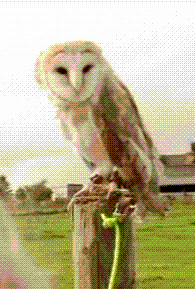 BBC Schools has a great variety of resources. In the primary literacy section there are Magic Key stories, there are math games, phonics and more. Browse around.
There are also some great clips to use in class. Here is one I like about an young owl called Shine.
HelpKidzLearn
 Here are some easy online games at HelpKidzLearn.
 Farm Animals Odd One Out
Snakes and Ladders
Splat the Clowns
Thursday, January 14, 2010
Wednesday, December 2, 2009
MS Word Viewer
 On our new teacher computers all Word documents open in Microsoft Word Viewer. You can see this on the top left hand corner of the document.
If you click on the "File" menu and choose "Open for editing" you will be able to work in the document as usual.
Click on this image to enlarge and see the detail.
Wednesday, October 21, 2009
Display Settings
 In order for the SMART Board to display the output from the computer at the optimum setting for the board, the screen resolution must be 1024 by 768 pixels.
Before opening Notebook software, right click on your computer screen and choose Properties on the menu. In Properties, select the Settings tab along the top. Go to Screen resolution and set the resolution at 1024 by 768 pixels, second from the left. Click on Apply, and then click on OK.
You may have to do this every time you start your computer - I really don't know.
Wednesday, October 7, 2009
Adding themes
It takes up a lot of time to choose a colour and font for every page of a project or unit. That's why Notebook allows you to create a theme. Once you have chosen the colour and font for your theme, you can save it in the "My content" folder and add it to an entire project or unit all at once.
Everyone will love you for being colour coordinated and together. You can create as many themes as you like if you are feeling creative.
I really love Matt Granger and his take on themes.
There is another demo here.
Everyone will love you for being colour coordinated and together. You can create as many themes as you like if you are feeling creative.
I really love Matt Granger and his take on themes.
There is another demo here.
Subscribe to:
Posts (Atom)


